Zombie Apocalypse: Doomsday-Z
Freeplay IncAction
4.610.53K Reviews
- Version
- 1.68.51
- Installs
- 10.00M
- Age Rating
- Mature 17+
Screenshots
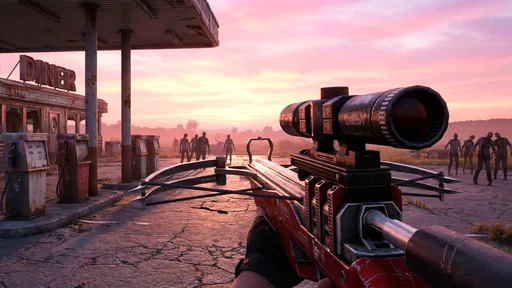
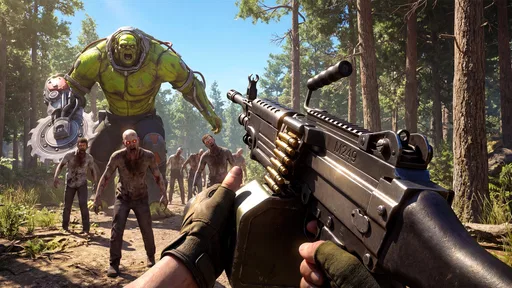
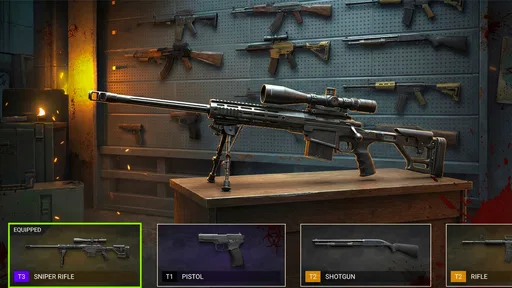
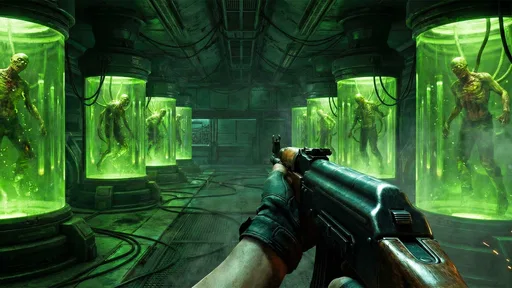
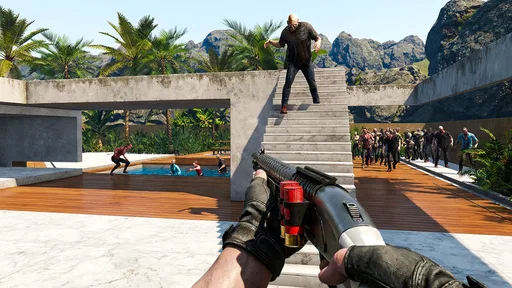
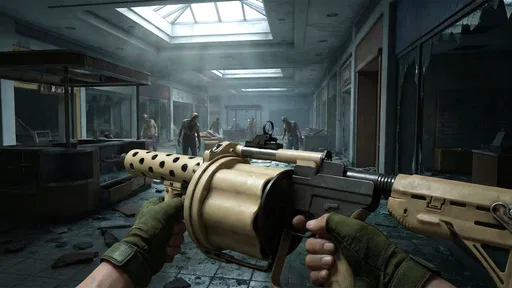
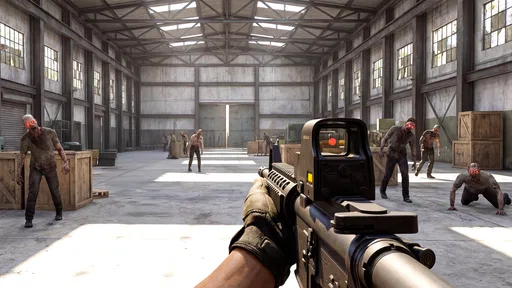
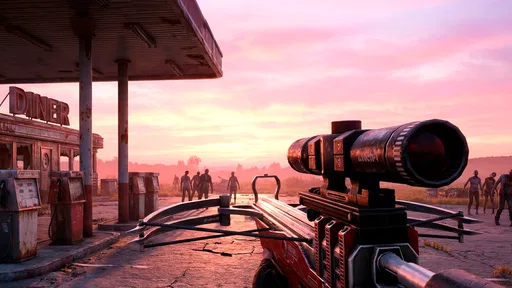
Our Review of Zombie Apocalypse: Doomsday-Z
 Analysis by Appyee
I approached Zombie Apocalypse: Doomsday-Z as a game to pick up in short bursts rather than as a sprawling role-playing adventure. It is a free action title from Freeplay Inc, built around surviving a ruined world through zombie shooting and gun-focused encounters. That basic idea is easy to understand, but the more important question is how comfortably the game works for different players, devices, and everyday situations.
My overall impression is mixed in a useful way. The action is immediately readable, the post-apocalyptic setting gives each session a clear purpose, and the game has enough tension to make a quick break feel worthwhile. At the same time, shooting games place real demands on vision, hand control, attention, and hearing. The experience is not equally comfortable for everyone, especially when the screen is small or the surrounding environment is distracting.
The game is free to install, though it includes optional purchases ranging from $0.99 to $49.99 per item. It carries a Mature 17+ rating, so it is aimed at adults and older players who are comfortable with violent zombie-themed action. With a 4.6 average from around 810 thousand ratings and over 10 million installs, it has clearly found a large audience, but popularity should not be confused with universal suitability.
How comfortably the game communicates what is happening
I find the game’s clearest strength is that its action gives me an immediate visual problem to solve: keep track of danger and respond, rather than pause to work through a complicated story. That directness can make a quick session easier to enter, though it still asks for steady attention and timely touch input. In the next section, I’ll look at how that balance affects the way I approach a typical play session.
Readability and navigation during a fight
The strongest part of the presentation is its directness. A zombie shooter has an obvious visual language: threats move toward you, weapons are central, and survival depends on reacting before the screen becomes overwhelming. That makes the basic goal easier to grasp than the layered menus of a strategy game or the quest-heavy structure of a role-playing title.
In my experience, this kind of design helps when I only have a few minutes to play. I do not need to remember a complicated story or reconstruct a large map before acting. I can return to the game, identify the immediate danger, and concentrate on the next encounter. That is valuable for players who find long menus, dense inventories, or multiple simultaneous objectives tiring.
However, simple objectives do not automatically mean simple navigation. Action games often place important information close to the edges of the display, where it can be easy to miss while concentrating on enemies. On a phone, visual clutter becomes more noticeable because the play area is physically small. Anyone who has difficulty distinguishing nearby icons, tracking moving targets, or shifting focus quickly may find the screen demanding even when the underlying goal is clear.
I recommend beginning with the game in a quiet, well-lit setting and taking a moment to learn where the essential controls and status indicators appear. That small adjustment makes a practical difference. It is better to understand the layout before a difficult encounter than to learn it while several threats are already moving across the screen.
Text, contrast, and the cost of visual attention
The post-apocalyptic theme naturally favors dark, damaged, and tense imagery. That atmosphere suits the subject, but it can also make information harder to read for people who need strong separation between foreground and background. Visual effects, enemy movement, weapon feedback, and interface elements compete for attention, particularly on a smaller handset.
I would not treat this as a game for relaxed visual scanning. It rewards keeping the action in view and noticing changes quickly. Players with reduced vision may need to use a larger screen, increase device-level text size where the operating system allows it, or sit closer to the display. Those adjustments may help with menus, but they cannot guarantee that fast-moving combat will become comfortable.
A useful habit is to pause between encounters rather than trying to inspect every piece of information while under pressure. If the game presents a choice, upgrade, or equipment decision, making it away from active danger reduces the need to divide attention. This is one of the more practical ways to make the experience less exhausting without changing the game itself.
The game’s current version is 1.66.3, and it requires Android 7.1 or later. That broad operating-system requirement makes it relevant to people using older compatible Android devices, but age alone does not tell me whether a particular phone will provide a comfortable experience. Screen size, brightness, touch response, and general performance matter just as much for accessibility as the operating-system number.
Motor and sensory considerations
Zombie shooting depends on timely touch input. That creates a clear barrier for players with limited dexterity, tremors, joint pain, or difficulty holding a phone steady. Even when the controls are understandable, repeated aiming and firing can become tiring. Small mistakes are more costly in an action game than in a turn-based alternative because the situation continues while the player is correcting a touch.
I found that posture matters more here than I initially expected. Supporting the phone with both hands can make aiming feel steadier, while playing one-handed may leave less control over movement and shooting. A stand or a stable surface can also reduce fatigue during longer sessions, though it may make the device less convenient to reposition. Players should experiment with comfort before attempting a demanding sequence.
For someone with limited reach, the location of touch controls is especially important. A large phone can provide more screen space but may also force the thumb to travel farther. A smaller phone is easier to hold but leaves less room for the action. This is a genuine trade-off rather than a flaw that one setting can solve. The best choice depends on whether reach or visual clarity is the bigger concern for the player.
Sound is another consideration. Zombie action often uses audio to reinforce danger, shooting, and atmosphere, but I would not recommend relying on sound alone. Players who are deaf or hard of hearing can still approach the game visually, yet any information communicated mainly through audio may be easier to miss. Conversely, players sensitive to sudden effects may prefer low volume or muted play, accepting that the atmosphere will feel less intense.
Playing with the sound off is also useful in everyday situations. On public transport, in a waiting room, or beside someone who is sleeping, visual play makes the game more practical. The trade-off is that muted action can feel less informative and less immersive. I would use short sessions in those settings and avoid treating them as the best environment for learning unfamiliar sections.
Situational access in ordinary daily use
This game fits naturally into short breaks. I can imagine playing it while waiting for an appointment or taking a brief pause between tasks, provided I have enough attention to follow the action. It is less suitable when I am walking, multitasking, or frequently interrupted. A game that depends on quick reactions becomes frustrating when I keep looking away from the screen.
That distinction matters for people with different concentration needs. The direct survival premise reduces the mental effort of remembering a complicated narrative, but combat still requires sustained focus. Someone who prefers calm, predictable play may find the pressure unpleasant, while a player who enjoys immediate goals may appreciate not having to manage a large set of unrelated tasks.
Battery and heat can also affect comfort during longer sessions, especially on older phones, although the actual result will vary by device. If the handset becomes warm or the player’s grip becomes uncomfortable, shorter rounds are the sensible approach. There is no benefit in forcing a long session when the physical setup is causing strain.
Because the game is free, it is easy to try without paying first. That lowers the barrier for players who want to test the controls, visual presentation, and pace on their own device. The presence of in-app purchases changes the decision once someone becomes invested. I suggest treating purchases as optional rather than assuming spending is necessary before understanding whether the game suits your abilities and habits.
The Mature 17+ rating should also guide where and with whom it is played. The violent zombie setting is not appropriate for children, and the imagery may be uncomfortable for adults who prefer lighter action. Anyone sharing a device with younger family members should be especially careful about access, regardless of how simple the controls appear.
Remaining barriers that affect the recommendation
The biggest limitation is that fast combat leaves little room for correction. In a slower puzzle game, a player can stop, enlarge the display, or reconsider a move. Here, a missed touch or delayed reaction can immediately change the outcome. That makes the title less welcoming to people who need generous timing or who experience fatigue in their hands.
Another barrier is the difference between understanding an interface and using it comfortably. I may know exactly what I should press and still find the action difficult because the target is moving or because my thumb lands slightly away from the intended area. This is why I would not judge accessibility only by whether the menus are easy to recognize.
The game is also a weaker choice for players seeking deep accessibility customization. Its appeal comes from immediate shooting and survival pressure, not from giving the player a slow, highly adjustable environment. If your priority is remappable controls, extensive visual options, or a pace that can be changed to accommodate different reaction speeds, a more deliberately accessibility-focused action game may be a better fit.
It is worth comparing it with the usual alternatives in the category. A turn-based zombie game generally asks less of reaction time and hand coordination, while a story-driven survival game may offer more room to explore at a personal pace. On the other hand, those alternatives can demand more reading, inventory management, or memory. Doomsday-Z is preferable when the player wants a straightforward burst of combat and can manage rapid visual and touch demands.
Players who dislike optional spending should make a personal rule before starting: enjoy the free portion first, avoid buying under pressure, and decide later whether any purchase genuinely improves the experience. That approach is especially sensible in a game intended for repeated survival attempts, where frustration can make an impulse purchase feel more tempting than it would during a calm session.
Who I think will enjoy it
I would recommend this game to adults who like zombie action, want a direct objective, and prefer playing in compact sessions. It is a good match for someone who enjoys watching a dangerous situation develop and responding quickly rather than planning every move several minutes ahead. The large existing audience suggests that the basic formula is easy for many players to approach.
I would be more cautious if you have difficulty with rapid touch gestures, moving visual targets, sudden sensory stimulation, or prolonged concentration. That does not mean you cannot try it, but I would test it on a larger compatible screen, use a supportive grip, and keep the first session short. If those adjustments do not make the action comfortable, the problem is probably the genre’s demands rather than a lack of practice.
I would also skip it if you are looking for a peaceful game, a child-friendly experience, or a campaign centered mainly on dialogue and exploration. The Mature 17+ rating and action focus are important parts of the identity, not minor details. Someone wanting a gentler zombie setting may be happier with a management or puzzle alternative.
My inclusive verdict after playing
Freeplay Inc has made a clear, approachable zombie action game, but clarity should not be mistaken for universal access. The central goal is easy to understand, the free entry point makes testing straightforward, and the short-session format works well for busy adults. Those are meaningful strengths for players who want immediate action without a heavy learning curve.
Its weaker side appears when access depends on steadiness, quick reactions, strong visual tracking, or comfortable sound levels. The game can fit different contexts if I adjust my setup, choose a stable posture, play with reduced distractions, and accept shorter sessions. Still, those workarounds do not remove the underlying demands of shooting gameplay.
My final recommendation is therefore selective: try it if you enjoy intense zombie encounters and can comfortably control a touch screen, but do not feel pressured to continue if the pace causes strain. The free price makes that trial relatively low-risk, while the optional purchases mean patience is worthwhile. For me, the best way to approach this game is as a focused action break, not as an all-purpose experience for every player or every situation.
Privacy and Permissions
See what permissions an app requests and how it handles your data.
- Photos/Media/Files
- read the contents of your USB storage
- Storage
- read the contents of your USB storage
- Wi-Fi connection information
- view Wi-Fi connections
- Other
- view network connections, full network access, control vibration, prevent device from sleeping, Google Play license check
Verdict
Strengths of Zombie Apocalypse: Doomsday-Z
- Easy-to-learn survival mechanics for newcomers to zombie strategy games.
- Frequent missions provide clear short-term goals and rewards.
- Base upgrades create a satisfying sense of long-term progression.
- Playable in short sessions, making it convenient for mobile gaming.
- Apocalyptic visuals and sound effects enhance the overall atmosphere.
Limitations of Zombie Apocalypse: Doomsday-Z
- Progress can slow noticeably without regular resource management.
- Some upgrades and features may require considerable waiting time.
- The interface can feel crowded on smaller phone screens.
- Repeated combat scenarios may become predictable over time.
- Online features may be affected by connection quality or server issues.
Other Releases by Freeplay Inc
View All
Snake Run Race・3D Running Game
Arcade4.7

Fidget Toys Trading・Pop It 3D
Simulation4.7

Count Masters: Stickman Games
Action4.6

Twerk Race 3d — Fun run game!
Arcade4.2
Similar Picks in This Category
View All
Temple Run 2: Endless Escape
Imangi Studios4.1

PUBG MOBILE
Level Infinite4.3

Free Fire: 9th Anniversary
GARENA INTERNATIONAL I4.4

Talking Tom: Hero Dash Run
Outfit7 Limited4.3

slither.io
Lowtech Studios3.9

Sniper 3D:Gun Shooting Games
Wildlife Studios4.6
Frequently Asked Questions
What is Zombie Apocalypse: Doomsday-Z?
Zombie Apocalypse: Doomsday-Z is a mobile survival game set in a world devastated by a zombie outbreak. Players must explore dangerous areas, collect supplies, upgrade equipment, and make strategic decisions to keep their survivors alive. The experience combines combat, resource management, character development, and post-apocalyptic exploration, making it suitable for players who enjoy long-term survival challenges rather than short, casual sessions.
Can Zombie Apocalypse: Doomsday-Z be played offline?
The game may require an internet connection for important features such as account synchronization, events, updates, advertisements, rewards, or online interactions. Even if some parts appear playable without a connection, offline access can be limited or unreliable. Before downloading, players should check the current store description and permissions, especially if they plan to play while traveling or in areas with weak mobile data.
Does the game include in-app purchases or advertisements?
Zombie Apocalypse: Doomsday-Z can include optional in-app purchases and advertising, as is common with free-to-download survival games. Purchases may provide resources, time-saving items, upgrades, or special bundles, while advertisements can sometimes offer additional rewards. The game can generally be approached without spending money, but progress may feel slower and some conveniences or premium opportunities may be more noticeable during extended play.
Is Zombie Apocalypse: Doomsday-Z suitable for children?
The game is built around zombies, combat, danger, and survival themes, so it may not be appropriate for younger children or players who are sensitive to violence and frightening imagery. Parents should review the age rating, content labels, chat or social features, and purchase settings on the relevant app store. It is also wise to supervise spending if children use a shared device.
What devices are compatible with Zombie Apocalypse: Doomsday-Z?
Compatibility depends on the operating system, device model, available storage, and the game’s current technical requirements. Because survival games often download additional files after installation, players should keep extra free space available and use a stable connection for updates. Check the Google Play or App Store listing for the latest Android and iOS requirements, and update the device software if installation or performance problems occur.
Play our best games!


